
DAMIEN ZEMANEK

games portfolio

Gameplay Programmer - Producer


Unity3d - C# - Game Jam - Miro

  • Led production workflow from start-to finish

  • Directed Art & Setup Meetings

  • Created Data-Driven & polymorphic systems, especially with ScriptableObjects

  • Implemented JSON saved level progression

Gameplay Programmer - Producer


Unity3d - C# - school project - Miro

Documentation In Progress :)

Generalist (Solo)


Unity3d - C# - Solo Project - Miro

Documentation In Progress :)


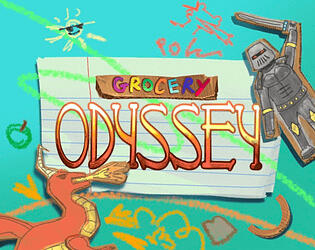
GROCERY ODYSSEY

ROLE: unity gameplay programmer - C# Systems architect - games producer


Highlights


overview

INfo

Genre: Dungeon Crawler
Team Size: 5
Time Frame: 48 hrs
Engine: Unity3D 2022 LTS
Target Platform: PC

Contribution

  • Built decoupled and flexible core combat system, w/ data-driven command pattern attacking & modular enemy combo framework

  • Led production workflow, created sprints, managed team

  • Implemented reusable type-based polymorphic enemy architecture

  • Created scriptable object dungeon configuration

  • Implemented JSON saved levels with cross-session data persistence

introduction & goals

  • Grocery Odyssey was my first ever Game Jam I participated in during my 1st year at LCAD as a student. It was also the first time I had worked with a team and collaborated on a project, our team of 5 worked very well together and I learned a lot about communication inside a game-dev setting.

  • I also had many personal goals going into the project which I succeeded in, that being: creating an interesting and fun game, implement cross-session data persistence, and winning an award. The award we won was "Best Sound Design." In which I implemented the sound.

combat

C# Systems designer

What i built

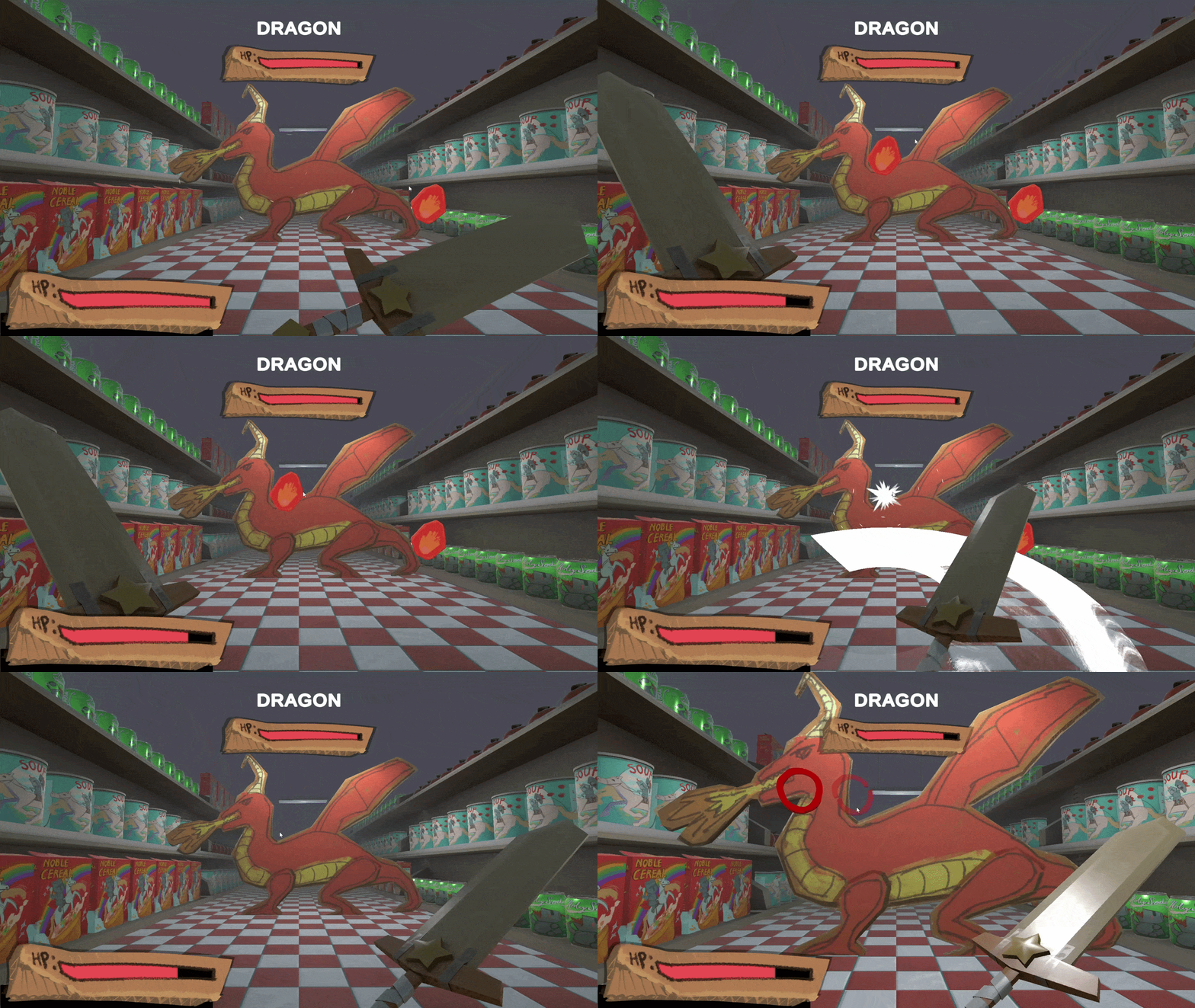
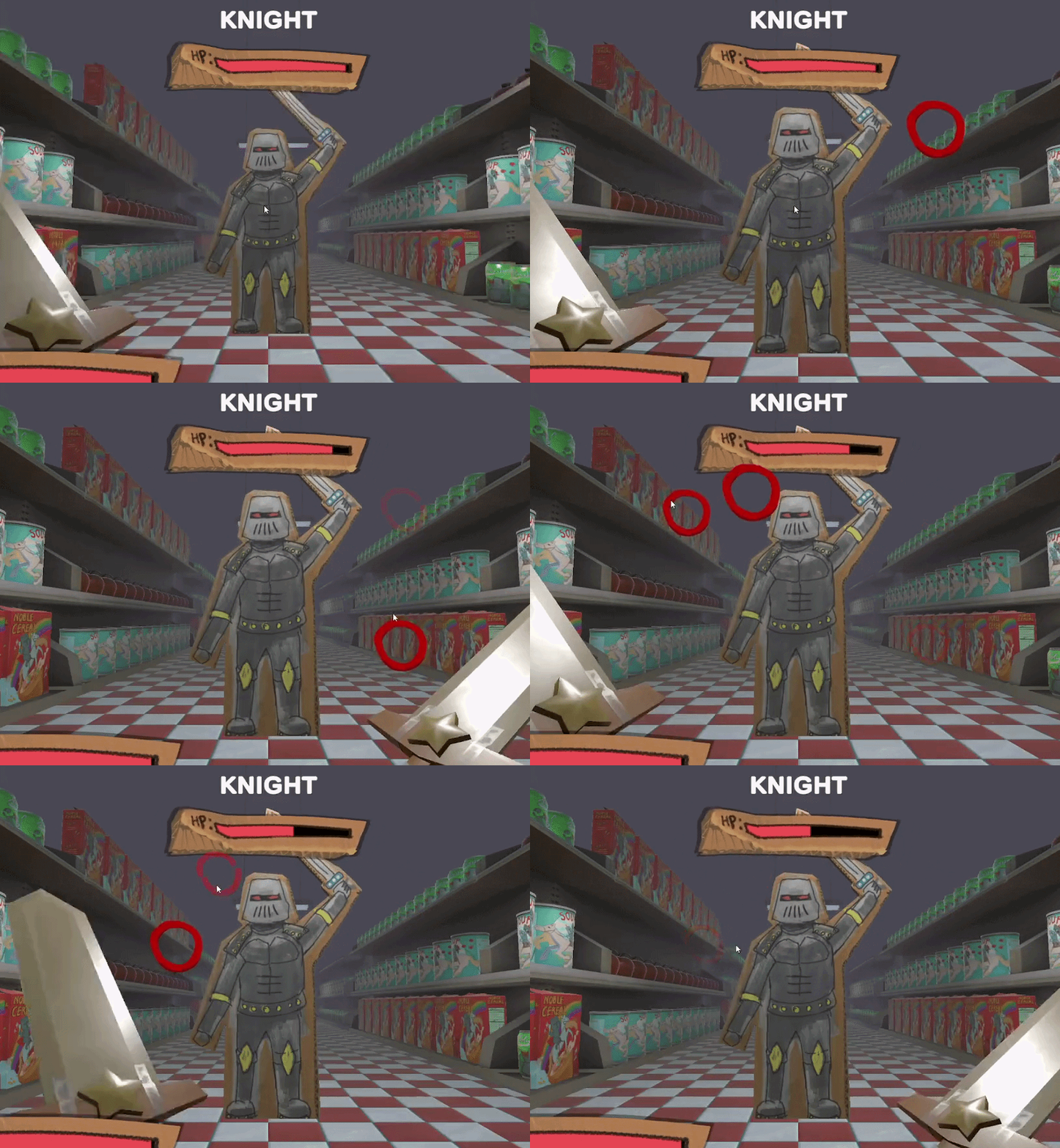
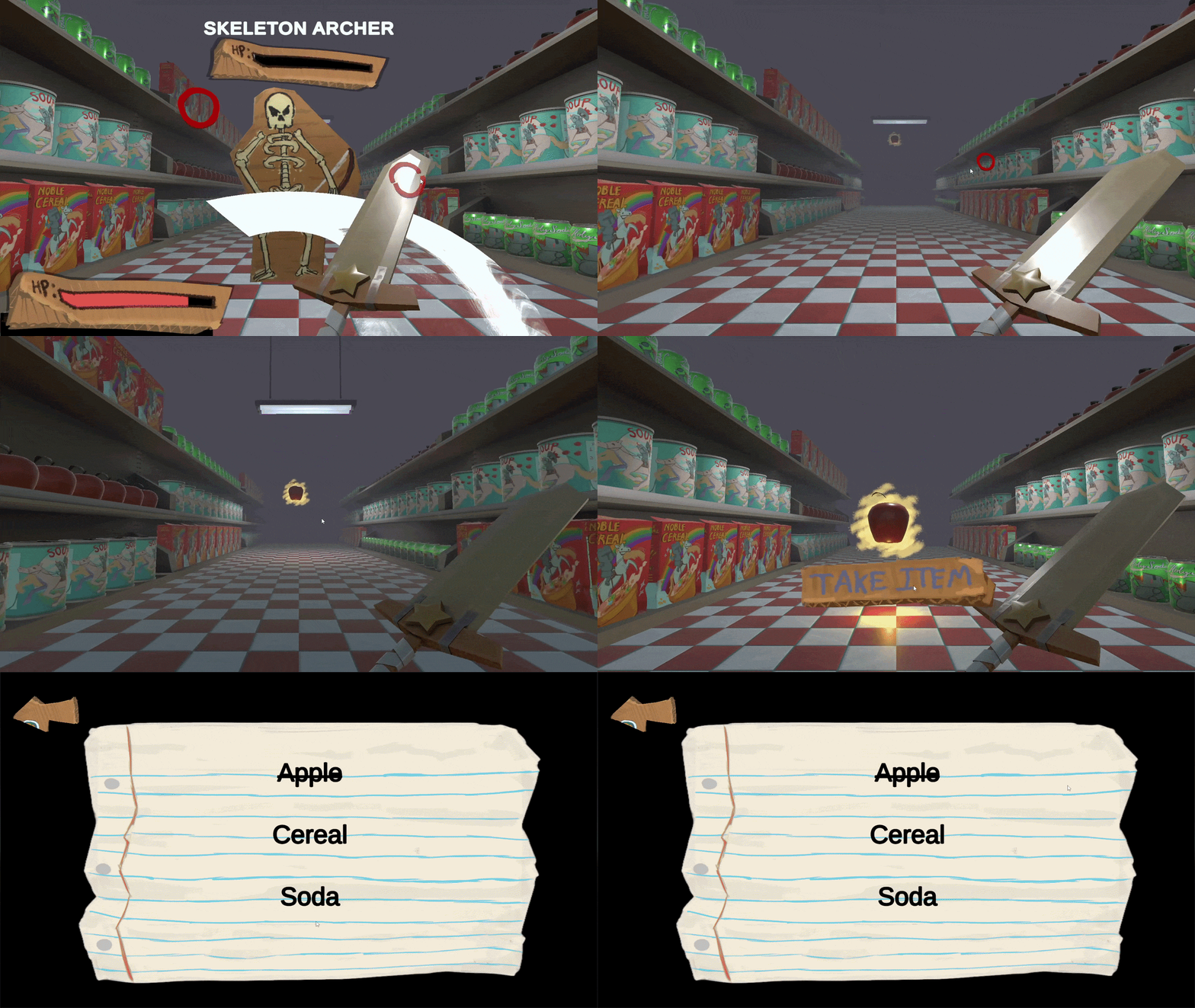
  • Point and click combat system for fast paced & engaging dungeon crawler style gameplay

  • Attack and Defend modes using a single input mechanic.

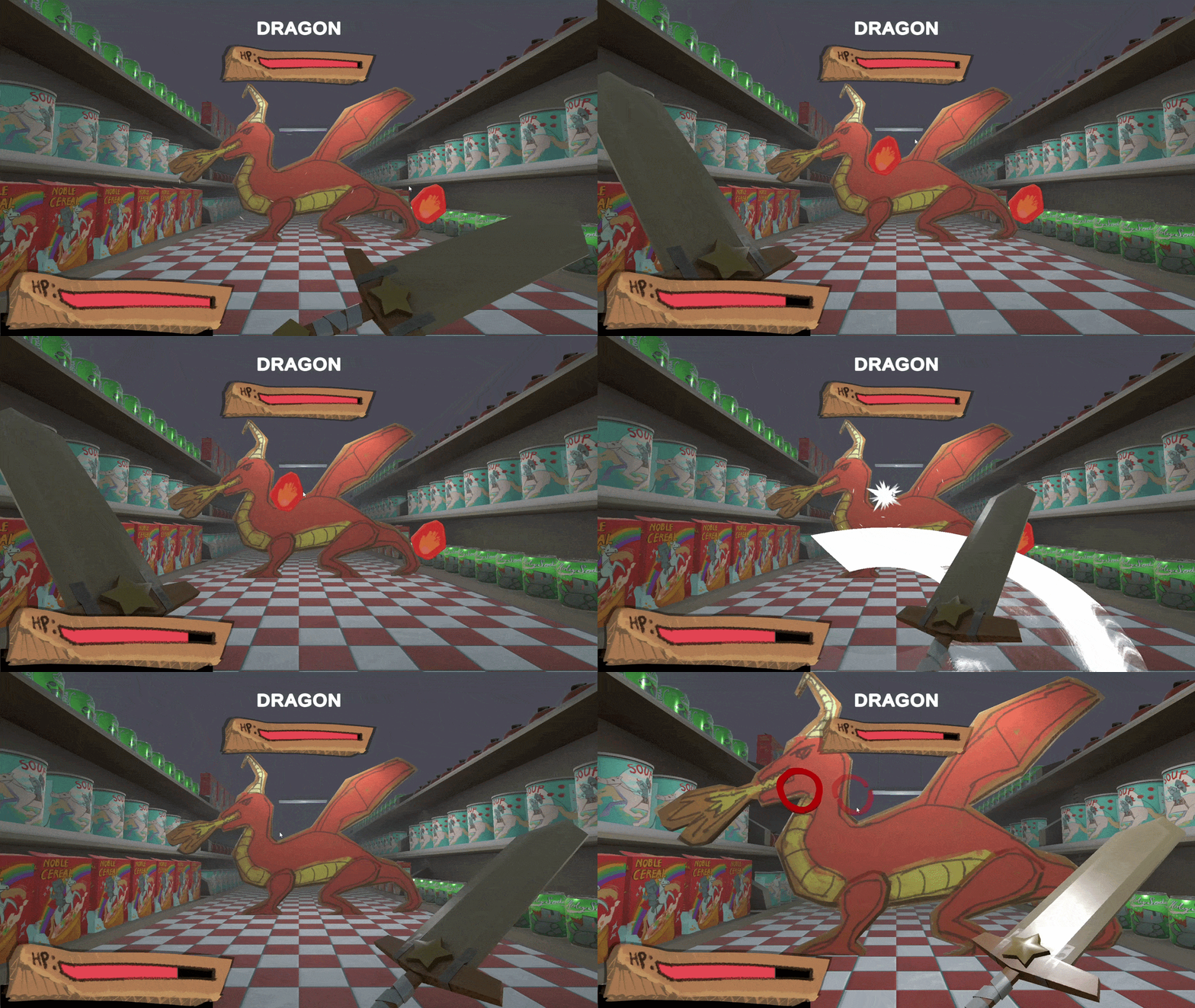
  • Type Based Polymorphic enemy system

  • Modular attack system using data-driven command pattern

  • Modular Enemy Combo Framework

design constraints

  • Simple but powerfull combat due to the time constraint

  • Involving the player moment to moment

  • Constantly keep player engaged

  • Re-use combat components while keeping each new level fresh

PROGRESSION

unity gameplay programmer

What i built

  • Multi-level game progression with increasing difficulty

  • Locked final level until all levels before are complete using a JSON save file for cross-session data-persistence

  • Hard final boss incorporating learned enemy gameplay behavior from previous encounters

DESIGN CONSTRAINTS

  • My philosophy when designing progression is to give the player harder and harder challenges as they get better, and eventually challenge them with everything they have learned at overtime at one point

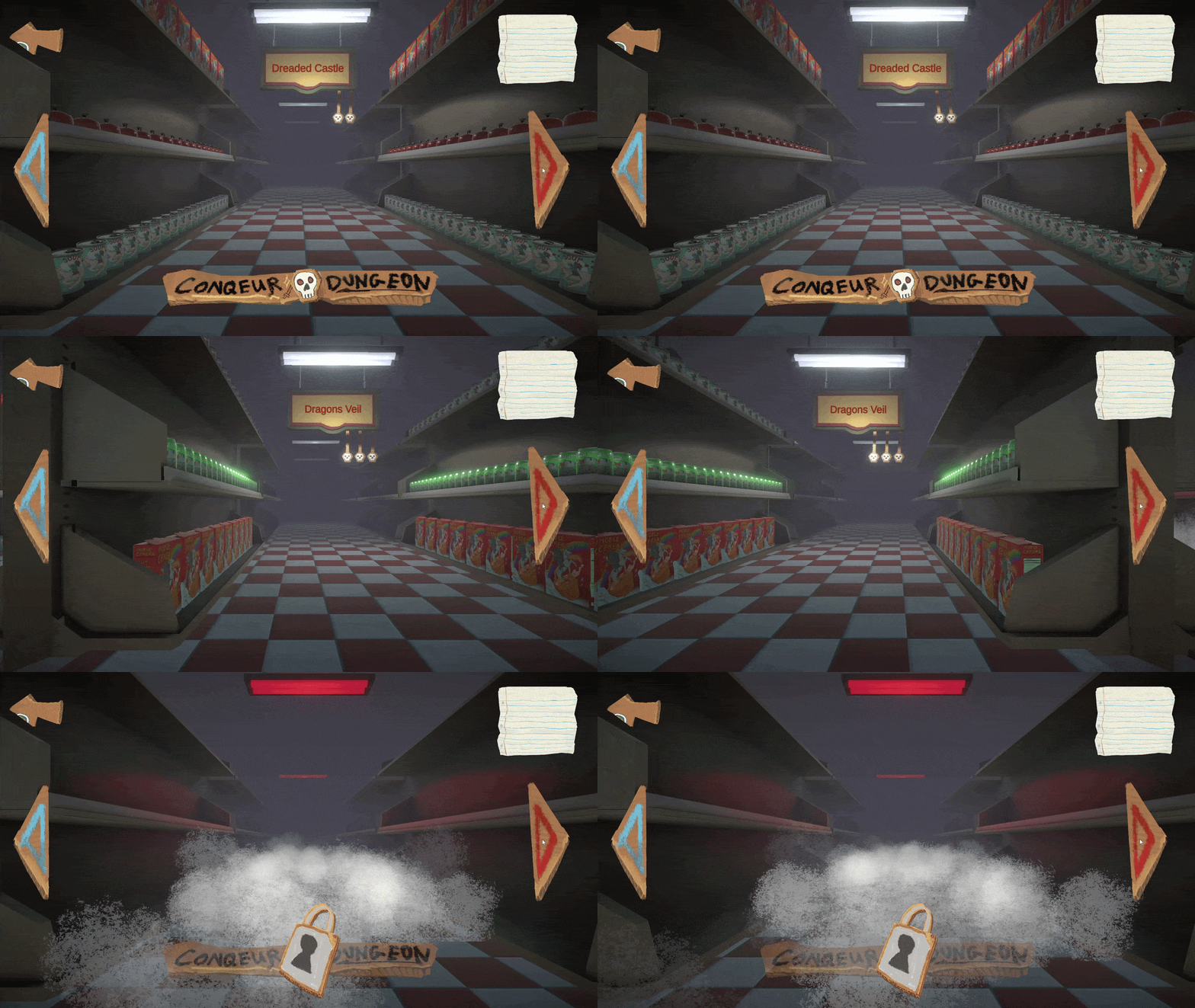
  • My main inspiration for the level progression menu layout was Geometry Dash just because it was so simple and fit within the projects time constraint. I am very comfortable in Unity and had 100% confidence I could pull something like Geometry Dash's level select off.

PRODUCtion

games producer

What i did

  • Led development from start to finish

  • Acted as team Art Director guiding 2D and 3D Artists to create assets aligned with a cohesive visual language

  • Assigned tasks, and delegated out work to team members

  • Maintained timeline, scheduled meetings to identify progress & determine if timeline changes were needed

  • Setup Sprints to coordinate team work

DEVELOPMENT DEEP DIVE


key combat designs

Randomized attack zones indication generator for effective gameplay variation


Hit Area on-click fade functionality for responsiveness


how it works

  • I used the Unity Canvas system used to spawn circles using GenerateHitAreas method called in HitArea script which calls rect.GetRandomPointOnImage();

  • Then I Instantiate a Hit prefab, creating a green circle in that random location within an Image component's bounds

why my implementation matters

  • Clear Player Communication

Visually telegraph attack locations, giving players a clear layer of interaction

  • Data-Driven spatial generation

Random-point generation within UI bounds creates high variability without manually creating attack patterns, enabling rapid iteration w/out addition work

  • Decoupled Re-usable Attack Design

Attack zone generation is independent of enemy implementation, making it re-usable across enemy types keeping combat logic clean by separating where attacks happen from how enemies behave

how it works

  • I built a HitAvaliable script with a public Hit() function called by my PlayerCombat script.

  • The combat script uses the Canvas' GraphicRaycaster component to cast a ray using PointerEventData and the mouse's Input.MousePosition this is fed to a List<PointerEventData>, then parsed through using LINQ checking if something hit, then a null check, then calling Hit() on the reference.

  • This then calles a C_Hit() coroutine to fire fading out the alpha of the HitArea

why my implementation matters

  • Strong separation of responsibilites (SRP)

PlayerCombat - manages what was hit
HitAvaliable - handles how the indicator reacts (visual + state change)
Reduces coupling between player and enemy systems

  • Scalable Interaction Model

HitAvaliable Serves as a foundation for any addition of new interactable (weak points, UI targets, body parts or Any object implementing HitAvaliable allowing functionality in the system w/out additional code work

  • Responsive Feedback Loop

Immediate visual feedback reinforces successful player action
improving game feel and clarity during fast-paced gameplay

Re-usable ScaleChange object scaler for increased gameplay pressure


On-click replace & skinning with art assets for cohesive visualization


how it works

  • ScaleChange is a separate component with the sole responsibility of shrinking an object after enabled using Unity's OnEnable Monobehaviour override.

  • It uses my custom LerpScale Transform extension method in my custom extension method library.

design significance

  • Sustained Gameplay Pressure & Readibility

Applies continuous visual and mechanical pressure during attack phase in place of static click indicators forcing players to stay engaged to do damage. The gradual scaling communicates attack availability very clearly to the player.

  • Flexible Timing & Behaviour Tuning

Duration-based scaling allows me as the designer to easily tweak pacing and difficulty, and provides a foundation for expanding into more complex behaviors (non linear scaling, curves, hold effects)

  • Reusable & Modular Component Design

Encapsulating logic into a standalone ScaleChange component keeps logic independent and modular, allowing behavior to be reused across different objects and scenarios w/out code duplication

how it works

  • I updated the HitAvaliable script to contain a ChangeToCut variable containing a Sprite asset that the Image changes to when Hit() runs.

  • I used UnityEvents to hook into scene references to modularily make the hit effect jitter and move slightly.

  • I updated the greybox placeholder colors and sprites with assets created by my team members

design significance

  • Clear & Immediate Player Feedback

Visual sprite change on hit confirms player actions instantly reinforcing interaction success and player confidence with gameplay systems

  • Decoupled Interaction logic using UnityEvents

Event-driven architecture (UnityEvents) separates visual effects from core gameplay logic, enabling me as the designer to hook into interactions w/out having to modify the granular code.Meaning the system can be expanded to support additional effects (animation, sound, vfx) with minimal changes

Type Based Polymorphic Enemy System


Modular Attack System using Data-Driven Command Pattern


how it works

  • I kept all the orchestration on a Enemy class, and moved the differences between enemies to a EnemyType class.

  • The Enemy class composition 'has-a" EnemyType, Leaving orchestration to the Enemy class serving as a central functionality hub for enemies.

  • EnemyTypes implement a StartCombo, a foundation for later granular implementation differences for different enemy types.

  • Enemy central class can switch EnemyType without requiring a change of script, cutting down on Monobehaviour class definition explosion.

design significance

  • Composition over Inheritence Encouraging Flexibility

Using a "has-a" EnemyType relationship allows behaviours to be swapped without rigid inheritence chains, allowing rapid ideation on enemy design without rewriting shared functionality across core systems.

  • Eliminating MonoBehaviour class bloat

New enemy variations don't require new script classes, only new EnemyType definitions, keeping codebase maintainable as content scales.

  • Decoupled behaviour definition

EnemyType encapsulates what an enemy does while Enemy controls how and when it happens, separating these responsibilities keeps systems modular and avoids tightly coupled logic

how it works

  • I designated an abstract Attack class and implemented it via a concreate Directional class to serve as the basic attack implementation for all Enemy

  • scripts.

  • All Enemy scripts who communicate with the Attack scripts only talk to the abstracted Attack and not the concretes through an abstract Execute()

  • Attack inheritors (this is Directional) implement the Execute()contract from the Attack base.

  • Although Directional is a Command Pattern user, it contains its own data-driven composition

design significance

  • Command Pattern Extensibility

Abstract Attack contract allows new attack types w/out modifying existing systems, reducing risk during iteration and increasing scalability and maintainability

  • Data-Driven Flexibility

Inspector configured parameters enable rapid tuning and iteration without coding granular changes

  • Decoupled System Architecture

Enemy logic depends only on the abstraction, not concrete implementations which enforce separation of concerns (SRP).

Modular Enemy Combo Framework


Modular Enemy Combo Framework Implementation


how it works

  • I created a separate Combo class to serve as a data structure held by each EnemyType.

  • Combo holds a List<Attack> and traverses that list via implementation from the EnemyType

  • Each EnemyType can opt to traverse the list differently, as its an override serving as a foundation for later extension.

Heres an example of how a concerete EnemyType would implement the StartCombo()

design significance

  • Decoupled Behaviour & Data

Combo defines an attack sequence as data, while EnemyType controls how that data is exeucuted, this prevents tight coupling between the content and behaviour

  • Strategey-Level Combo Reuse

The same Combo can produce entirely different outcomes depending on the traversal applied by each EnemyType, allowing for simple diversification of combo attacks with with the same data.

New Enemies do not require new combo definitions, only using a traversal strategy, this speeds up iteration

If I were to have a different Enemy Type like a Knight for instance, I could easily diversify how the knight would attack from the dragon by calling a different traversal method

how it works

  • I can setup different delays through the ChargeUpTime

  • I can change the projectile with ProjectilePrefab

  • I can alter the starting position with StartPos, You can see the various start positions as green circles in the prefab viewer

  • I can easily alter the starting rotation of the projectile to add challenge to how the projectile travels

In the inspector I can easily tweak variables to rapidly create uniquely attacking enemies

design significance

  • Enchanced Gameplay Variety through Composition

I can customize each and every EnemyType to act differently all with the same or similar assets and behaviour, cutting down on development time

  • Inspector-Level Combo Creation

Each EnemyType has a LIST of combos that it pulls from, meaning I can create combo chains without ever touching code

And, because each Combo contains a list of Attacks that is also Inspector-exposed, I can customize each combo down to the level of each attack in that combo, allowing full control of customization still without ever touching code.


key progression designs

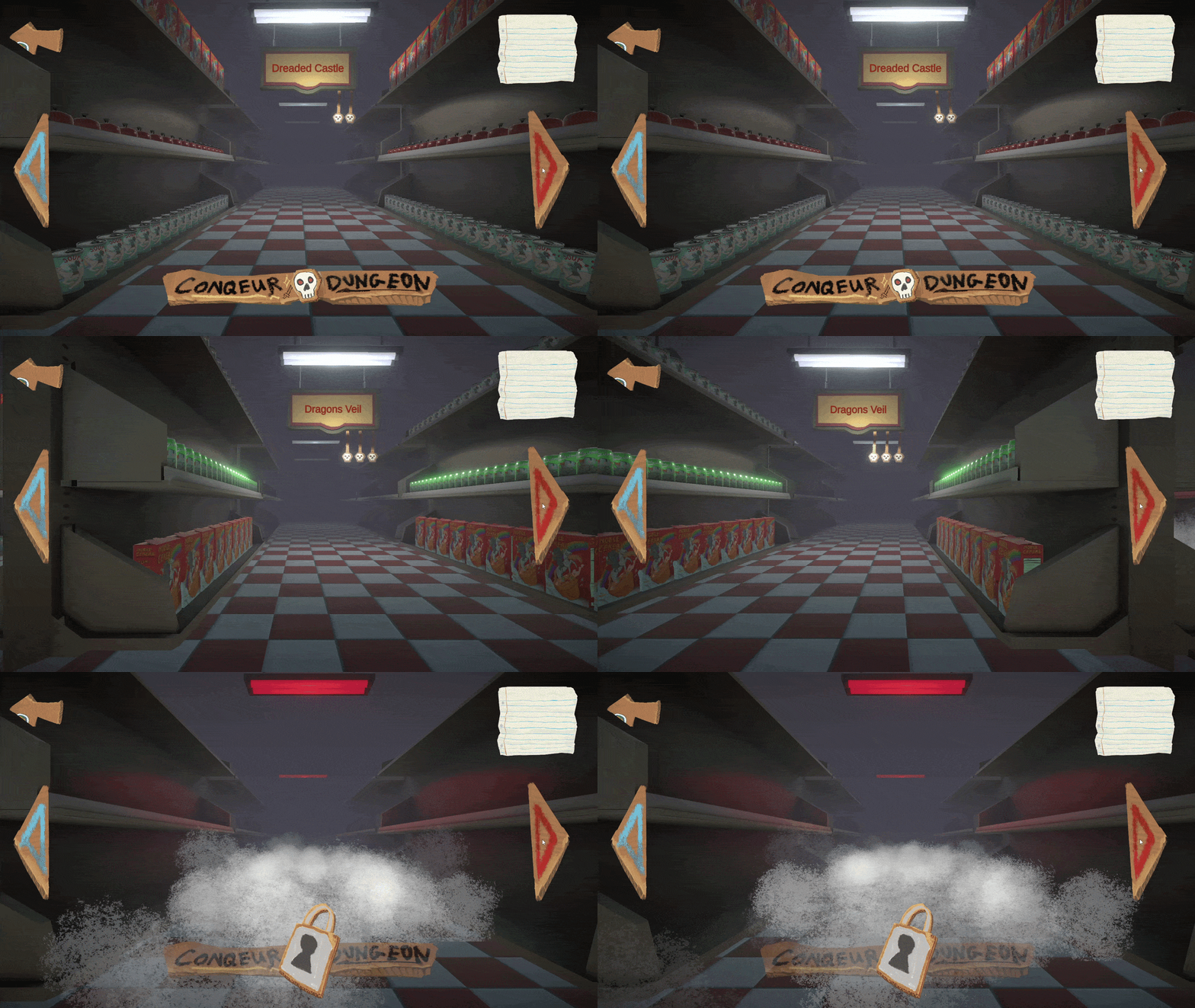
Level Select Functionality - Greybox & Skinning


Scriptable Object Dungeon Configuration


how it works

  • I greyboxed usingTextMeshPro Button elements in Unity's Canvas in the hierarchy laying out where I wanted the buttons to be.

  • I used my own custom UIJitter script to make the buttons animate when hovered over using the IPointerEnterHandler and IPointerExitHandler interfaces

  • I hooked the UI Button's UnityEvent into my LevelSelect script to either increase or decrease the currently select level index, seen as the exposed variable CurrentPosIndex, and modified the transition with a TransitionTime

  • When then transition occurs, the player is lerped to the next index of the Positions array, while simulatenious calling Animate.Play() on my cam with the animation gobackcreating a smooth and interesting animation.

Post Skinning:

design significance

  • UX Greyboxing to help design the User Journey

I always greybox out my UX to ensure the functionality is cohesive and responsive. That way skinning goes smoothly and the user can functionaly traverse through the game, even at an early developmental state. This also allows for playtesting at earlier states

  • Fast iteration on a simple design

I took inspiration from Geometry Dash's UX/UI because it was very simple. I knew from the get-go I could replicate it within a very short time frame because of my confidence with the Unity Editor. This allowed me to quickly create and then move onto completing the game.

how it works

  • I created a DungeonData script and inherited from ScriptableObject which holds all dungeon configuration data, like how many enemies and what enemies can appear and in what order.

  • I used the CreateAssetMenu editor attribute with a corrosponding filename and menuName variables to create the assets in the Project directory.

  • Each DungeonSO is utilized by a DungeonDB instance script in every level of the game.

  • The DungeonDB instance script is used to hook up all non-primary functionalites into one nice location, including the place where the Dungeon Data is stored and referenced from

  • That is depended on by other game objects for their functonality.

design significance

  • Fast tweaking and balance iteration

Because I was going with a level based progression for the game, I needed the levels to be adjustable at a higher level. This allowed me to alter levels without having to go into each individual scene, cutting down on iteration time.

  • Immutable Data-Driven Design

I'm constantly thinking how to program better, and one way of doing this is thinking of immutable design & and data-driven systems. This solution uses both to decrease complexity in runtime scripts and separate my concerns more which increases my script and systems clarity and readability.

JSON Saved Level Progression w/ Locked Final Level


Procedurally Looping Encounter System - Performance Optimized


how it works

  • I used JSON in a custom DataSaver script to write to Unity's ApplicationPersistentDataPath file with the player's progress information.

  • The player's progress information is a separate data-structure used in this data write

  • To utilize the item saving, I turned it into the level progression mechanic. Meaning each item serves as the 'level complete' on the grocery list.

  • To program this, I created a separate storage class singleton class called GroceryItemStorage which uses the data from the DataSaver. The storage is referenced from the LevelSelect script in the Level Select scene. To check if the player has all items, if the player does it unlocks the final level

Successfully completing a level checks off item in grocery list

design significance

  • Clear & Understandable Progression Metrics

It is very understandable to all ages a list of shopping items, taking this idea I used it for my level progression to increase the player's confidence in the game's functionality

The player has to collect "Grocery Items" from a "Grocery List."
The player will recieve a "Grocery Item" at the end of each level which checks off an item on their list.

how it works

  • I created a RepeatWorld script that detects when an enemy dies and moves the entire level forward while the player stands still.

  • The world is split up into composable Encounters that contain enviormental assets and serve as the battleground between each enemy and the player.

  • The RepeatWorld script listens for an event fired by an enemy death and linearly interpolates all encounters forward, after moving, the most recent encounter which is now behind the player is re-positioned at the back of the encounters list.

design significance

  • Re-usable & Procedurally composed encounters for Performance Gain

Encounters are discrete and composable modules that can be altered without changing the core system.
The world is procedurally repeated over and over, cutting down on draw calls if many encounters were loaded at once.

  • Non-polling event based listening

The RepeatWorld listens for the the PlayerCombat to tell it if and when the enemy dies, avoiding polling and increasing perfromance


production process

Led Project Start & Initial Team Directing


Scheduled Team Meetings & Managed Team Sprints


Key production choices

  • Led Team Proactively from the Start

After theme reveal, I saw that our team needed direction, I proactively stepped up and took the responsibility to lead the team from the start.

  • I gathered everyone around a whiteboard asked every team member to brainstorm potential ideas.

  • I gave everyone a fair and equal chance to share their ideas on what we should work on.

  • I visually compiled all the ideas and organized them into genres for clarity.

  • I asked everyone to rank-rate all the ideas giving more points to ideas they liked more, and we chose the idea voted highest.

  • I then solicited more feedback and as a team decided to combine the top 3 Ideas together.

  • Assigned Roles based on specialty and confidence

  • Before moving from ideation to prototyping, I assigned roles based on each member's specialties

  • I asked each member about their performance confidence mindset going into the Game-Jam.

  • I kept in mind that assigning somebody to do something they didn't want to do was a surefire way to instill negativity & I wanted to avoid that at all costs

Key production choices

  • Setup Sprints via Miro

I setup each person's Sprint and collaborated on achievable goal setting for each person.

  • Scheduled Meetings & Managed Timeline

Informed them we would stop what we were doing and get together to talk about our progress every 3-4 hours for a meeting.

  • Led collaborative meetings keeping empathy in mind

During meetings I would ask about each team member's progress, being as empathetic as possible, informing them of breaks and asking how they were feeling overall.

Team Composition:

  • (1) 3D Artist

  • (2) 2D Artists

  • (1) VFX Artist

  • (1) Programmer, Producer

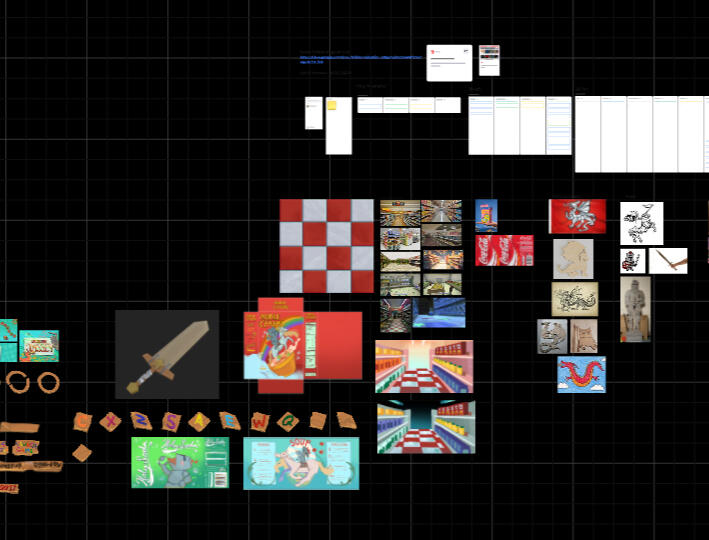
Directed Art Assets & Created Art Approval System for Team Members


Managed Asset Handoffs between Team Members


Key production choices

  • Setup Asset Production Pipeline w/ Approval System

I came up with an approval system in order to direct the art assets team members created and keep assets cohesive visually and on theme.

  • Our Production Pipeline:

  • Asset is assigned based on what we needed

  • Asset goes into ideation phase

  • After 1 to 2 ideations were complete, they would be handed off to me for approval of direction

  • If the art was going in the right direction I approved the layout & design and handed it back for it to be completed, I would also ask for how long they would think it would take to maintain a mental timeline for the entire project.

  • If it did not look like it matched the direction, I would ask for adjustments or alterations until it looked good.

This was done for 3D and 2D Art assets alike:

Key production choices

  • Managed Team Asset Handoffs

Managed handoff between team members in order to coordinate asset production because some assets required multiple-role work.For Example:

  • Enemy's required both the 2D Art and a 3D cardboard model

  • Enviormental props like can's and cereal boxes required the model & textures.

  • Settled on Backlog based Multi-Member Handoffs

Team members would eventually have a backlog of assets handing off between each other. Thus, I would take a more hands-off approach as our team worked better and better over the course of the jam, we reached a flow-like-state.

INTERESTED IN MY WORK?

LETS DISCUSS!

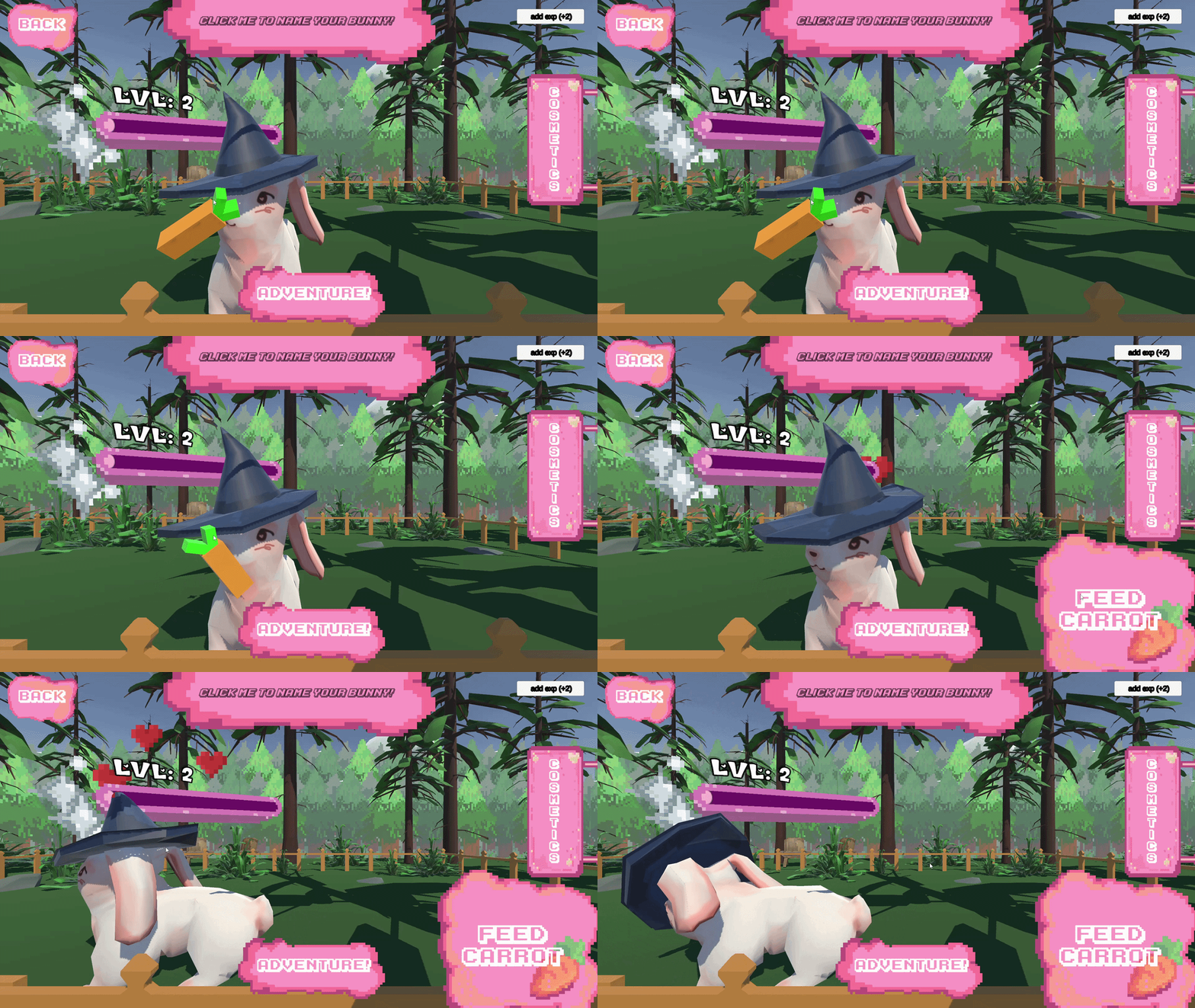
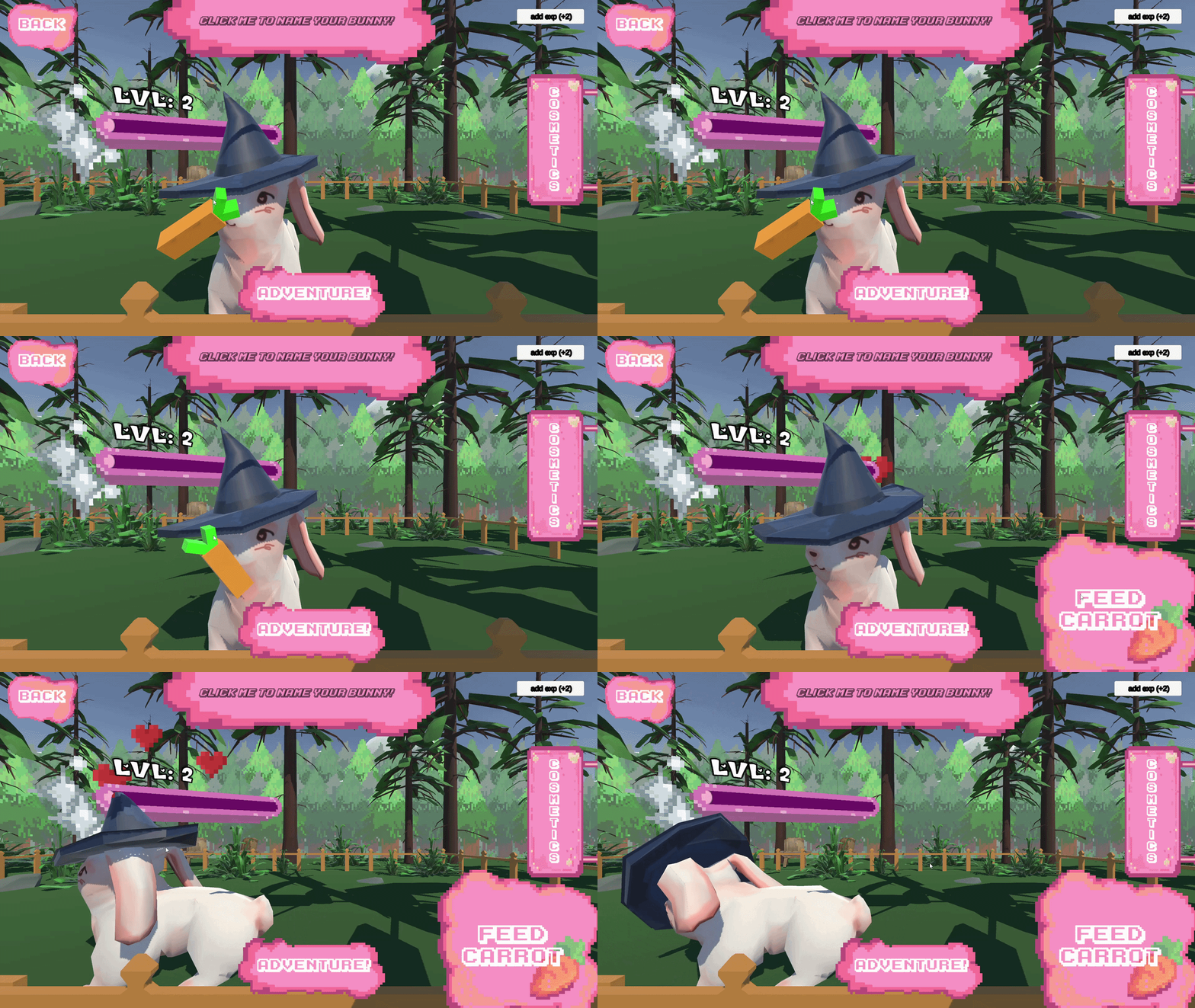
CUTE RABBIT ADVENTURE

ROLE: unity gameplay programmer - C# Systems architect - games producer

Highlights


overview

INfo

Genre: Action Adventure
Team Size: 4
Time Frame: 6 weeks
Engine: Unity3D 2022 LTS
Target Platform: PC

Contribution

  • Documentation in Progress :)

introduction & goals

  • Documentation in Progress :)

goap ai system
(Belief/Action/Detector)

What i built

  • NPC's use a custom Goal-Oriented-Action-Planning system to determine course of action in real-time

  • NPC detectors poll or listen for changes in world state and update NPC beleifs

  • NPC's weight actions based on beliefs and choose an action to execute

  • Unity NAV-MESH Integration

design constraints

  • Documentation in Progress :)

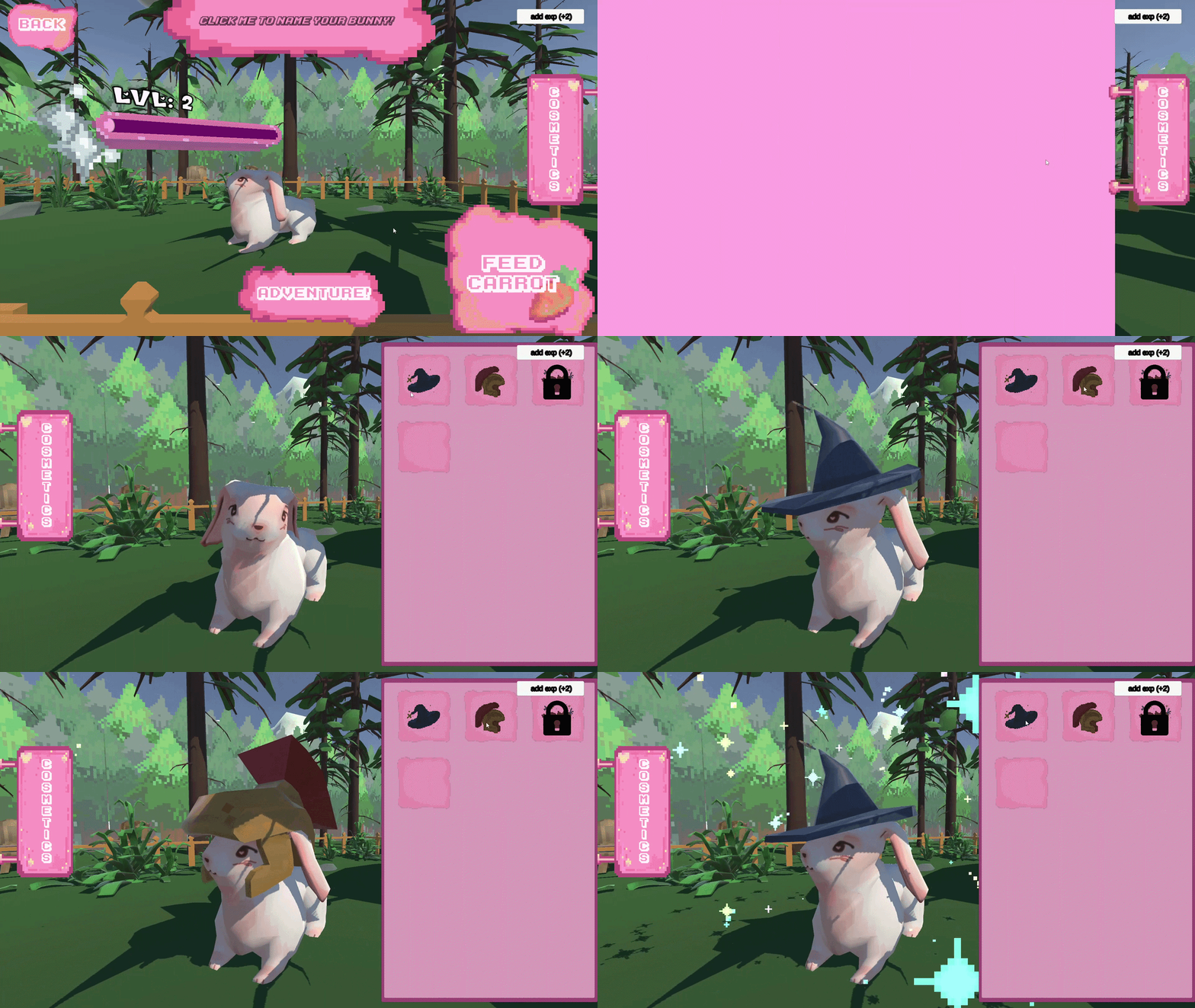
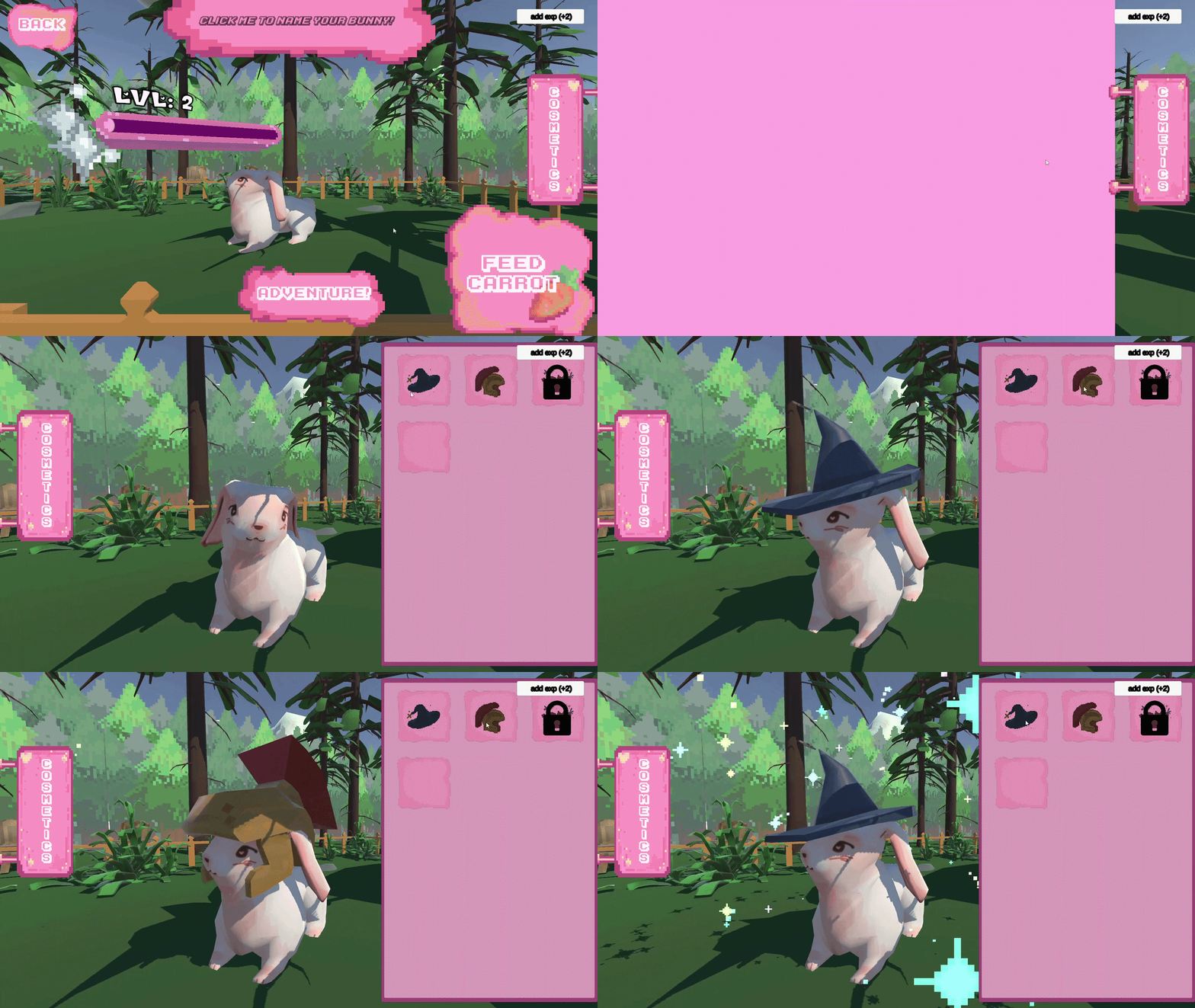
Character customization

What i built

  • Unity Canvas Grid-Based Cosmetic selection tied to level system progression

  • Cosmetic equipping and progressive unlocks

design constraints

  • Documentation in Progress :)

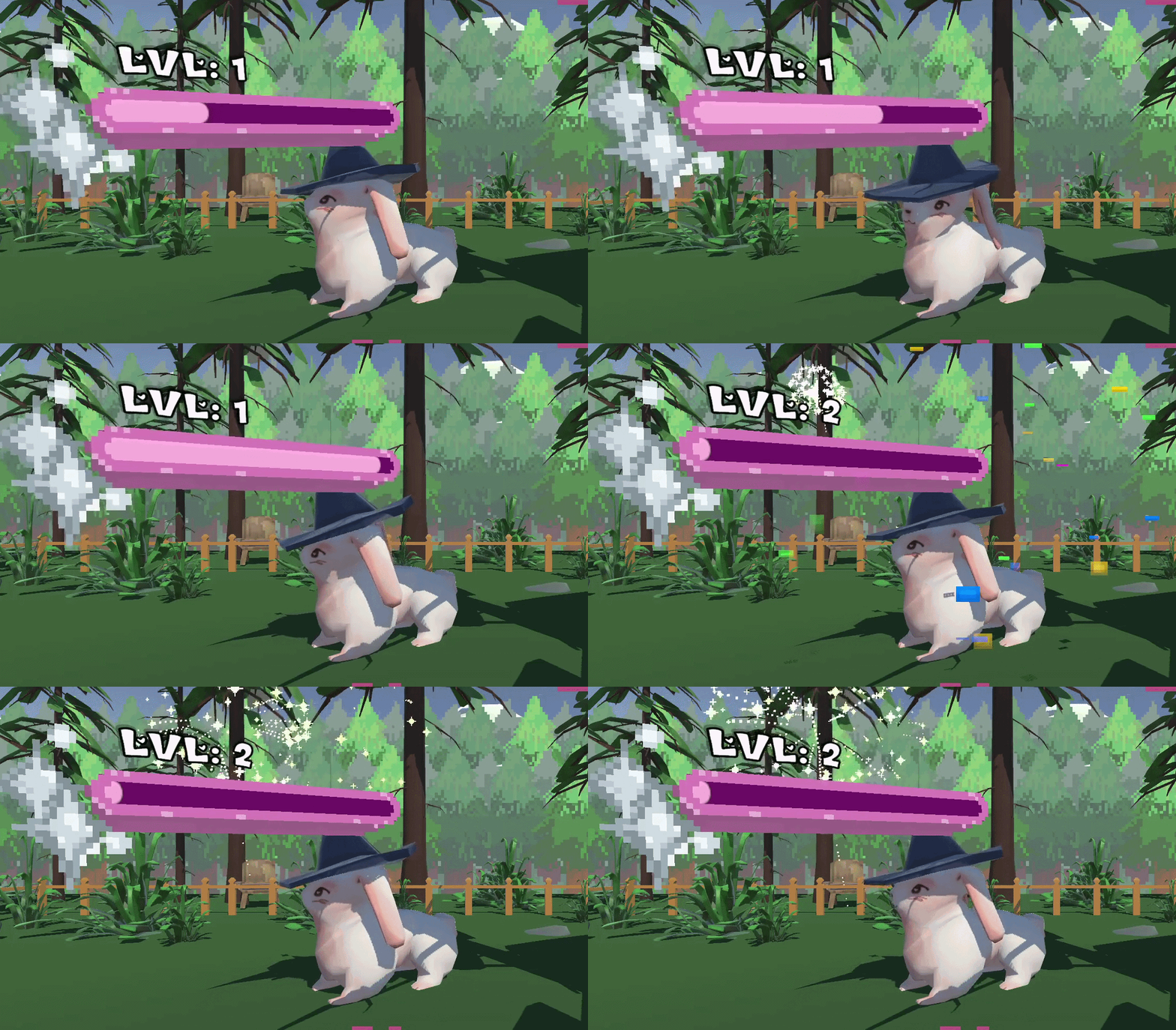
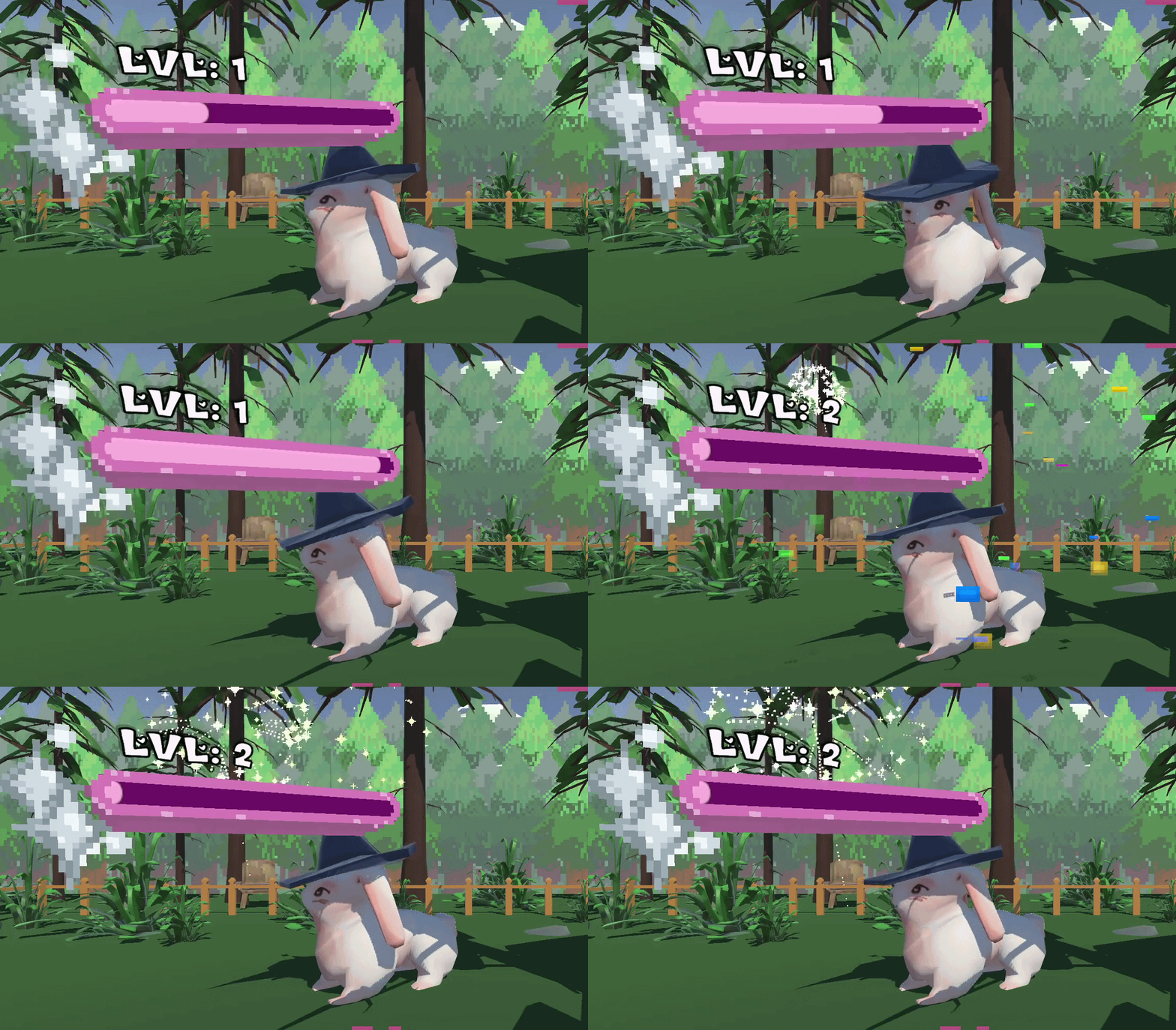
Experience & level system

What i built

  • Completing levels gives the player experience to level up

  • Higher levels unlock extra cosmetics which definitely affect gameplay

design constraints

  • Documentation in Progress :)

DEVELOPMENT DEEP DIVE

Documentation in Progress :)

GOAP AI - BELIEF / ACTION / DETECTOR

  • NPC's use a custom Goal-Oriented-Action-Planning system to determine course of action in real-time

  • NPC detectors poll or listen for changes in world state and update NPC beleifs

  • NPC's weight actions based on beliefs and choose an action to execute

  • Unity NAV-MESH Integration

  • WHY?: Flexible AI functionality adapts AI behaviour depending on world context

MODULAR EXPERIENCE SYSTEM

  • Leveling system handles callbacks based on level up events

  • Links to cosmetic system to unlock cosmetics

Persistent progression + XP saving

  • JSON based save/load that bootstrapps default

  • Stores and applies progression metrics as a Singleton DontDestroyOnLoad instance called DataSaver

INTERESTED IN MY WORK?

LETS DISCUSS!